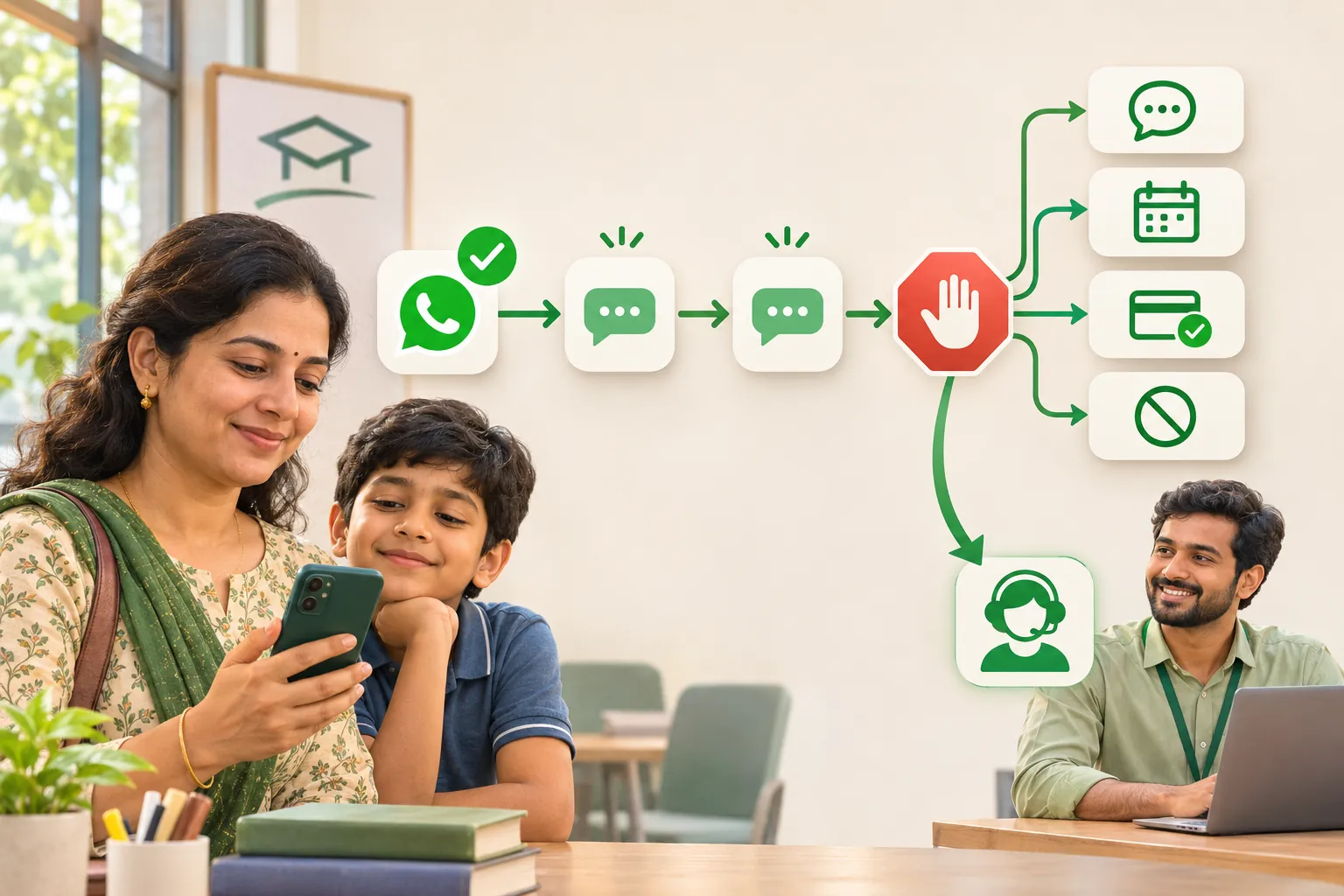
A useful WhatsApp follow-up needs permission, a relevant reason to send it and a reliable stop rule. Pause scheduled messages when the customer replies, books, reports a payment or opts out. Repetition, poor timing and unwanted content can all lead to complaints.
This guide shows an illustrative two-message follow-up sequence with consent records and clear exits. You can run it manually with the WhatsApp Business app and a restricted-access log. WeNext.ai, a WhatsApp CRM and automation platform, is an optional workflow tool discussed near the end. This article was edited with AI assistance.
The example (illustrative, not a customer story): a coaching centre runs a weekend spoken-English batch. On Friday evening a parent asks about fees and timings for her daughter, gets the details and goes quiet.
The rules that shape every follow-up
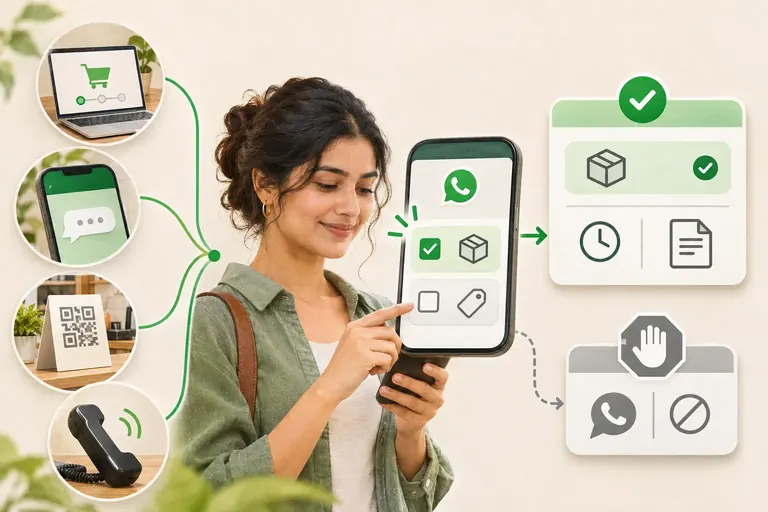
WhatsApp’s Business Messaging Policy says you may contact people only if they gave you their number and opted in to receive later messages from you, and that you must honour every request to stop, on or off WhatsApp.
Meta’s opt-in guidance adds that the opt-in must say clearly that the person is opting in and name your business.
Then there is the 24-hour customer service window . On the WhatsApp Business Platform, each customer message opens or resets it. While it is open you can send normal messages; after it closes, only approved templates.
Key pointThe window decides a message’s format, not what you may talk about. If a parent agreed to hear about one batch, an open window doesn’t make a summer-camp offer acceptable.
Step 0: answer fully, then ask for consent
Answer everything she asked, then ask for consent in words that say exactly what she is agreeing to:
Consent request
Would you like up to two WhatsApp follow-ups from [Centre name] about this batch, including demo details and its start date?
Reply YES to opt in.
Reply STOP anytime to stop these follow-ups.
Note the date she replied YES and the wording you used. That is your consent record.
The wording also limits you. She agreed to two messages about this batch, not to a newsletter, other courses or festival offers. For those, ask separately.
Touch 1: the next morning, inside the window
Check the actual time of her latest message before sending on Saturday morning. On the Platform, use a normal message only while the 24-hour window is still open. If it has closed, an approved template is required. Send only if she opted in and has not replied, booked, paid or opted out.
Touch 1: a normal message, window open
Good morning, [Name]. The first class is a free demo, so your daughter can try it before you pay anything.
Would Saturday 10 am or Sunday 10 am suit her?
Touch 2: a few days later, as an approved template
By Tuesday the window has closed, so the second follow-up must be an approved template. Meta’s template categorization rules treat a message that recommends a service to someone who engaged with you as marketing, even if they asked for it. Submit this one as a marketing template:
Touch 2: marketing template
Hi {{1}}, the weekend spoken-English batch starts on {{2}}. The first class is a free demo. Would you like me to book a seat for {{3}}?

Buttons: Book the demo / Not now / Stop messages
Then the sequence ends. Two follow-ups is our rule of thumb, not a WhatsApp number, and it matches what she agreed to. Meta may also limit the marketing templates a person receives when they seem unlikely to engage. And no fake urgency: “Only 2 seats left” only when it is true.
The stop rules
Write these down before you switch anything on. Each overrides the schedule.
- She replies with anything. Pause the automation. A person continues the conversation.
- She asks for a person, asks about discounts or refunds, or sounds upset. Hand over now, with a short note for your teammate.
- She says she has paid. If someone says they’ve paid, pause the sales follow-up immediately and check the payment dashboard. Confirm payment only after verification. If it is pending or missing, let a person resolve it with the customer.
- She books the demo. Stop the sales follow-ups. A booking confirmation is a separate message she asked for.
- She says stop. Record the opt-out and stop the affected follow-ups immediately. Do not make another message a condition of opting out.
- No reply after Touch 2. Close the lead. Don’t move her into broadcasts unless she agreed to that separately.
The policy allows automation inside the window but requires a prompt, clear path to a human. A handover can be this simple:
Handover to a teammate
Thanks, [Name]. I'm passing you to [Teammate], who handles admissions.
[Teammate] will reply here shortly.
And the opt-out confirmation:
Opt-out confirmation
Done, [Name]. We won't send you any more follow-ups.
If you need us later, just message here.
Exclude your “Do not message” list from every campaign, including opt-outs that came by phone or in person.
Running it on the free app
For a manual workflow in the WhatsApp Business app, use labels and quick replies. Save suitable messages as quick replies and keep a follow-up log with consent and last-message times. Check the stop rules before every send. The Platform’s template requirements do not replace the consent and opt-out requirements that also apply to the app.
How we run this sequence in WeNext
WeNext.ai advertises a visual flow builder, automated follow-ups and team assignment. Its automation overview is at wenext.ai/features. Configure the workflow for your account and test every stop condition before using it with customers; a product feature does not establish permission to send.
- The trigger. Choose a supported trigger and require a recorded opt-in before enrolling the contact. Sprint and Turbo list a visual flow builder; check the current plan and supported trigger options in your account.
- The two touches. Touch 1 is a normal message sent while the window is open. Touch 2 uses a template you have created and Meta has approved; WeNext doesn’t approve templates.
- The exits. Configure and test that replies, bookings, payment claims and opt-outs stop or pause the scheduled messages as intended. Make sure a named teammate receives the handover. If a required exit cannot be configured reliably, keep that step manual.
- Payment claims. WeNext advertises Razorpay payment links and Cashfree checkout for WhatsApp payment workflows. Confirm the supported setup in your account. A customer saying they have paid still pauses the journey until a person has checked the gateway.
- Permission stays with your team. Your team remains responsible for permission, privacy notices and opt-outs received on any channel. Record phone and in-person opt-outs in the system used to suppress future campaigns. Do not assume an automation has captured an offline request.
Build your sequence log
Create a simple sequence log with an internal customer reference, consent date and wording, permitted topic, maximum number of messages, last customer-message time, next planned action and stop status. Copy the example messages above and replace only with accurate business details. Restrict access and keep children’s names and unnecessary personal details out of shared reports.
Sequence log columns
Internal customer reference
Consent date and the exact wording they agreed to
Permitted topic, and the maximum number of messages
Time of the customer’s last message
Next planned action, with a date
Stop status: replied, booked, paid, opted out or closed
To have it run on schedule and hand over to your team, try the follow-up workflow in WeNext. Our homepage currently offers a 7-day free trial, no credit card required. Start your free trial at wenext.ai. Trial terms and plan features may change.
For the full journey from first enquiry to paid order, read our guide on how to sell on WhatsApp in India.