The short answer: You don’t need special software to start selling on WhatsApp. The free WhatsApp Business app is enough. Set up a proper profile and catalogue, reply quickly, confirm every order in writing, check that the money has really arrived before you ship, and follow up politely with people who go quiet. Software starts to matter when several people share the chats. We build WeNext.ai, a WhatsApp-first CRM, so we’ll say where it fits, but every step below works without it.
Why does so much selling in India happen on WhatsApp?
Because customers are already there, and “Is this available in M?” takes five seconds to type. What breaks is the record-keeping: who is handling this customer, what we quoted, whether the money came in. WhatsApp holds the conversation, not the business record, so you need a small process around it.
Our running example (illustrative, not a customer story): a small boutique sells a sage-green linen kurta for Rs 1,290, delivery included. A customer in Pune asks whether size M is in stock. We’ll follow that one enquiry from the first message to after-sales support.
What should you set up before the first enquiry?
- A separate business number, so chats can be handed to a teammate later.
- A complete business profile with logo, description, hours and website. Sellers in India also add a legal business name, registration details, customer care contact and a grievance officer; see WhatsApp’s guide to selling online in India.
- A catalogue of your best sellers with photos, prices and sizes. Twenty items is plenty. In India, each item also needs a country of origin.
- Written delivery, exchange and refund terms.
- An order sheet: a spreadsheet with columns for customer, item, total, owner, next action, due date, payment status and order status. You talk in the chat; you record what was agreed in the sheet.
How do you sell on WhatsApp, step by step?
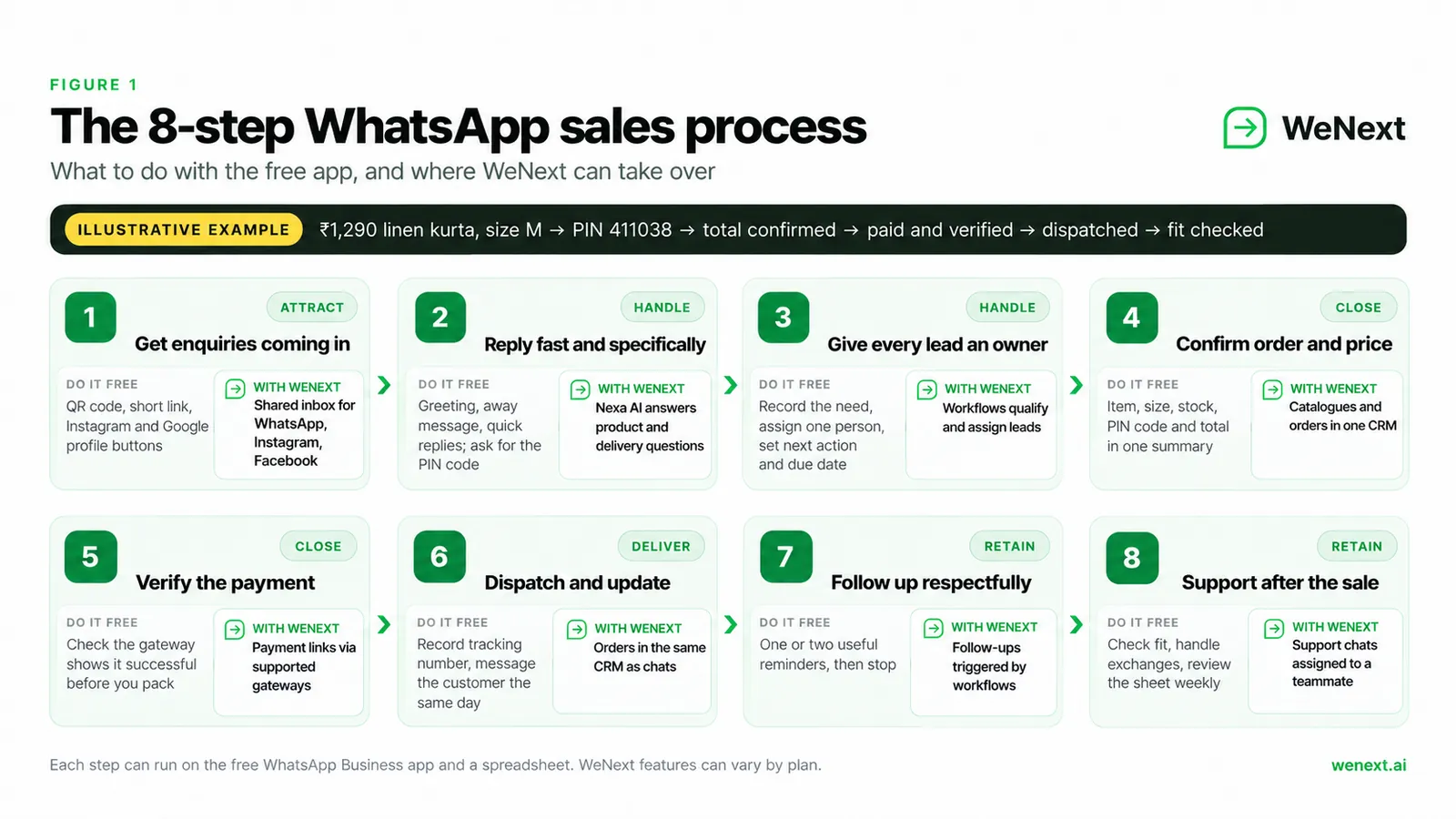
1. How do you get people to message you?
Put a way to start the chat wherever customers already find you. WhatsApp’s free entry points include QR codes, short links and buttons on your Facebook Page and Instagram profile, and you can add a WhatsApp link to your Google Business Profile. Print the QR code on bills and packaging. A pre-filled message on your link (“Hi, I’d like to know about the linen kurta”) tells you what each person came for.
Want to message people first? WhatsApp’s Business Messaging Policy requires their number and their opt-in.
How WeNext helps: WhatsApp, Instagram and Facebook messages land in one shared inbox, along with replies to campaigns, social posts and ads you run from WeNext.
2. What should your first reply say?
Answer the question, then ask for the one detail you need to quote. Check stock before you say yes.
Set a greeting message for new customers and an away message for after hours, and save quick replies for answers you send often (type “/” in a chat to pull them up).
Template 1: First response
Hi [Name], thank you for messaging [Shop name]!
Yes, the sage linen kurta is available in size M.
I've shared the product details above.
Could you please send your delivery PIN code?
I'll confirm the delivery time and the total price.
Where WeNext fits: its assistant, Nexa AI, can answer product, order and delivery questions at any hour. Review its replies early on, and keep a human reachable, as WhatsApp’s policy expects.
3. How do you make sure no enquiry is forgotten?
Give every lead an owner. Enquiries can go cold when nobody owns the next reply. For each new one:
- Record the requirement in your sheet: “Linen kurta, sage, M, Pune 411038”.
- Assign one person. A name, not “the team”.
- Write the next action and a due date: “Send total by 4 pm today”.
- Every morning, clear overdue enquiries before opening new chats.
Labels (which WhatsApp is gradually turning into lists) let you tag chats “New”, “Awaiting payment” or “Paid” and filter by them.
With WeNext, each conversation becomes a lead, and workflows can qualify it and assign it automatically, so ownership doesn’t depend on who saw the message first.
4. How do you confirm the order and the price?
Before asking for money, send one message that spells out the whole order; it helps prevent misunderstandings. Confirm the exact item and size, that you deliver to that PIN code and when it should arrive, and the total payable including any delivery charge. Then ask the customer to reply “Confirm”. Send the payment link only after they confirm, and confirm the payment only after you have verified it.
Template 2: Order summary
Here is your order summary, [Name]:

Order number: [#1042]
Item: Linen kurta, sage green, size [M]
Quantity: [1]
Price: Rs [1,290]
Total payable: Rs [amount] (includes applicable
taxes: [Yes / No], delivery: Rs [x])
Deliver to: [address], PIN [411038]
Expected dispatch: [date]
Estimated delivery: [date]
Exchange: [size exchange within X days of the
delivery date, unworn with tags]. The exchange
period starts from the delivery date.

Reply Confirm and I will send the payment link.
WeNext’s part: catalogues, orders and payments sit in the same CRM as the chat, and on plans that include them, Shopify and WooCommerce integrations save retyping product details.
5. How do you take payment and know it actually arrived?
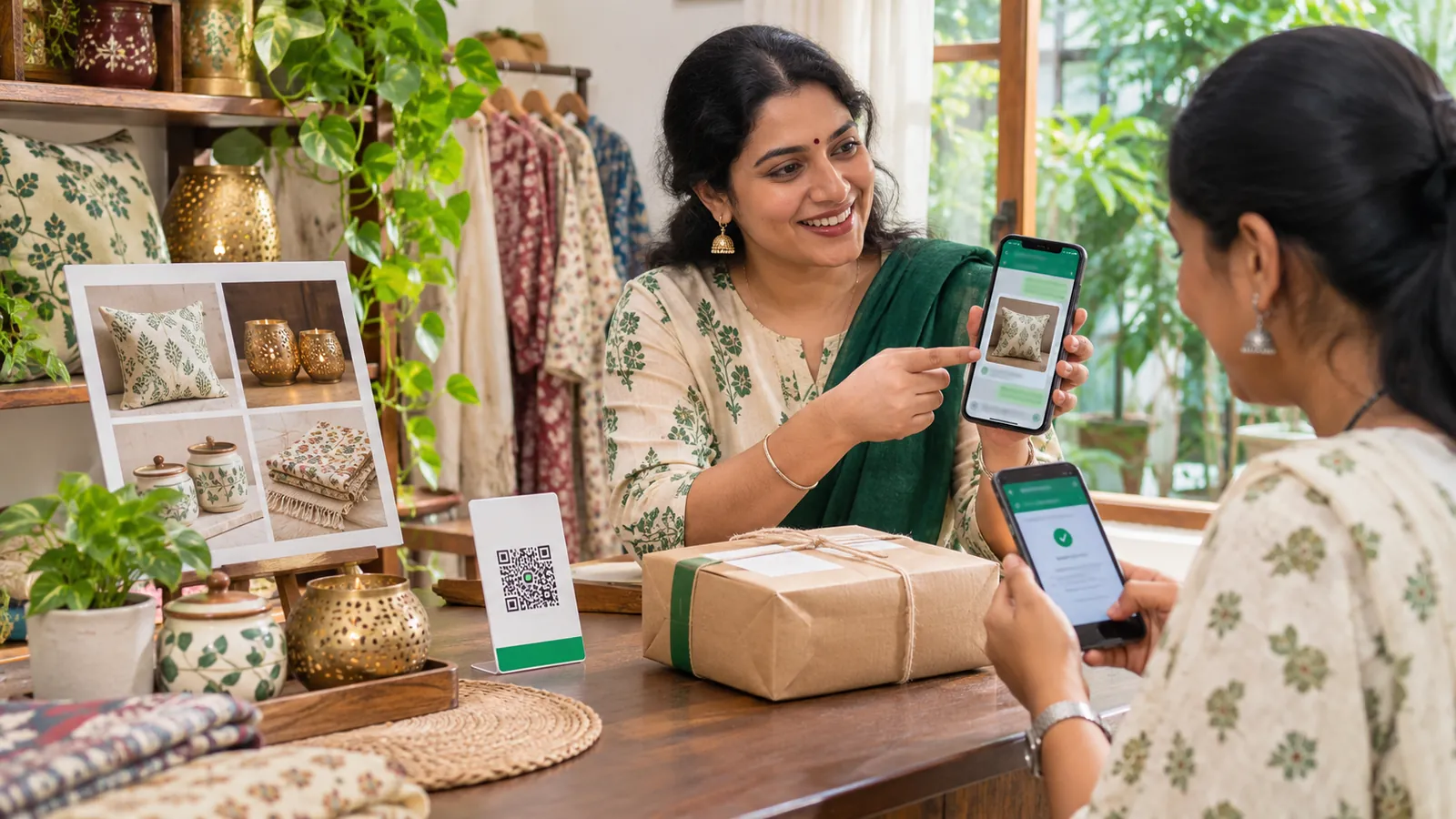
A payment link is a request for money, not proof of payment. The customer may open it and close it, the payment may fail or stay pending, and a screenshot may belong to another order. “Paid!” in the chat is good news, not confirmation.
Before you pack anything:
- Create the link for the exact total, with the order number in the description.
- Check your gateway’s dashboard (or your bank’s merchant app, for direct UPI) and confirm the payment shows as successful for that amount and order.
- Note the transaction reference in your sheet, mark the order “Paid”, and only then confirm.
Template 3: Payment confirmation
Thank you, [Name]! We've received your payment of
Rs 1,290 for order #1042 (ref: [transaction ID]).
Your kurta will be packed and dispatched by [day].
I'll send the tracking details as soon as it ships.
If you use WeNext, you can share payment links through a supported gateway (its site lists Razorpay and Cashfree; availability can vary by plan) and connect payments to the order. The gateway’s confirmed status is still the final word.
6. How do you handle dispatch and delivery?
Pack against the order summary and check the size tag before sealing. Add the dispatch date and tracking number to your sheet and message the customer the same day. If there’s a delay, say so before they ask.
Template 4: Dispatch update
Good news, [Name]! Your order #1042 has been
dispatched with [courier].
Tracking number: [number]
Track it here: [link]
Expected delivery: [date]
Please message us here if you need anything.
How WeNext helps: orders live in the same CRM as the conversations, so whoever picks up the chat next can check on #1042 without scrolling back.
7. How do you follow up without being pushy?
Suppose our Pune customer got the total and went quiet. Follow up after a day or so with what she needs to decide. One more message later is fine; after that, let it go. If someone says no or asks you to stop, stop. And never invent urgency like “only one left”.
Template 5: Respectful follow-up
Hi [Name], just checking in about the sage linen
kurta in size M. It's still available, and the
total to 411038 is Rs 1,290 including delivery.
If you'd like it, reply "Confirm" and I'll send
the payment link.
If not, no problem at all, and thank you for
your interest!
If you use the WhatsApp Business Platform and the customer-service window has closed, use an approved message template and follow the applicable consent rules.
WeNext can send personalised follow-ups through workflows, so the reminder goes out on schedule rather than when someone remembers.
8. What happens after the sale?
Repeat customers come from here. A couple of days after delivery, ask whether the kurta fits. If she needs another size, follow your written exchange policy, send clear return instructions and log the exchange against the original order. Mark the order “Delivered” or “Exchanged” so nobody chases a closed sale.
Once a week, spend twenty minutes on the sheet. Look for overdue enquiries, unpaid summaries and questions you keep typing by hand (make those quick replies).
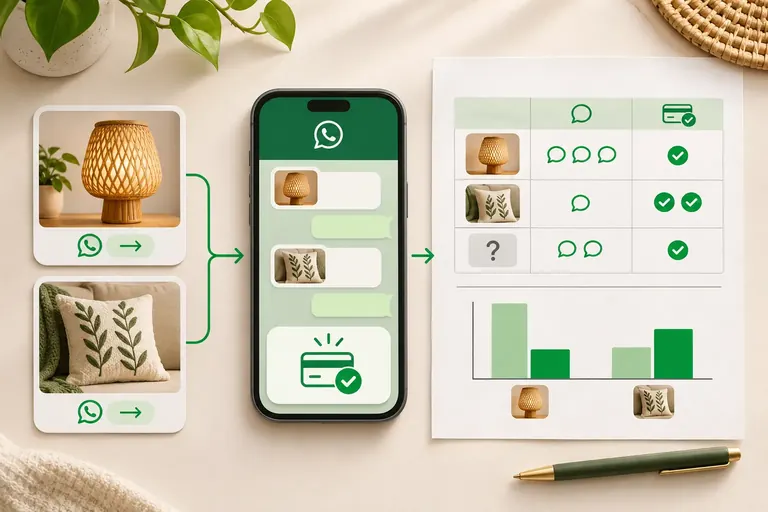
Make the review measurable. On the same weekday each week, look at the past 7 days and count:
- Enquiries received: new customers who messaged you.
- Paid orders: orders where the payment is confirmed.
- Overdue follow-ups: enquiries whose next-action date has passed.
Then write one conversion line: paid orders divided by enquiries received. Of the 20 new enquiries received that week, 6 became paid orders by the review date: 30%. Track later conversions against that same group of enquiries: a late payment from that group is added to that week’s group, and a payment from an older enquiry is not counted in it. Compare it with last week’s number, and clear the overdue follow-ups first.
On the WeNext side, support chats arrive in the same shared inbox as sales and can be assigned to a teammate, so an exchange request doesn’t get buried under new enquiries.
Key pointA payment link is a request for money. Only your gateway’s confirmed status tells you it arrived.
Selling a service instead of a product?
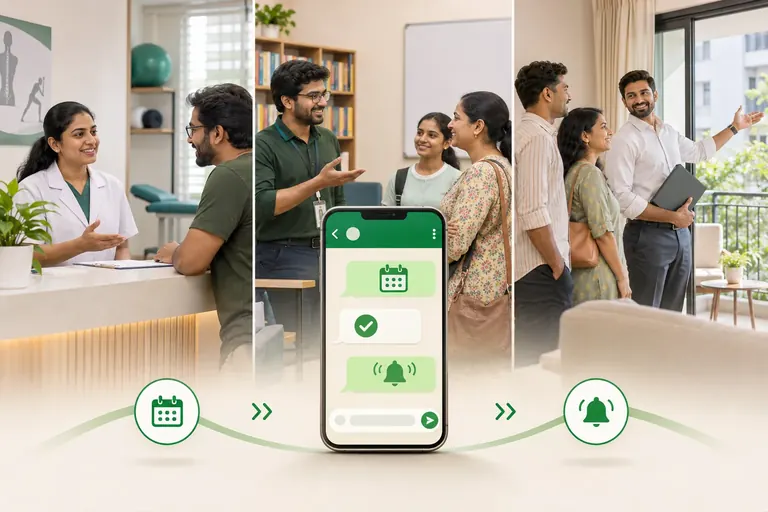
Clinics, salons and tutors sell a time slot, so the order summary becomes a booking confirmation: service, date, time, price, location or online link, and cancellation policy. Send a reminder the day before, and keep every booking in a calendar as well as the chat.
WeNext includes appointment booking with automated confirmations and reminders (booking limits vary by plan), and lists Google Calendar among its integrations.
When is the free app no longer enough?
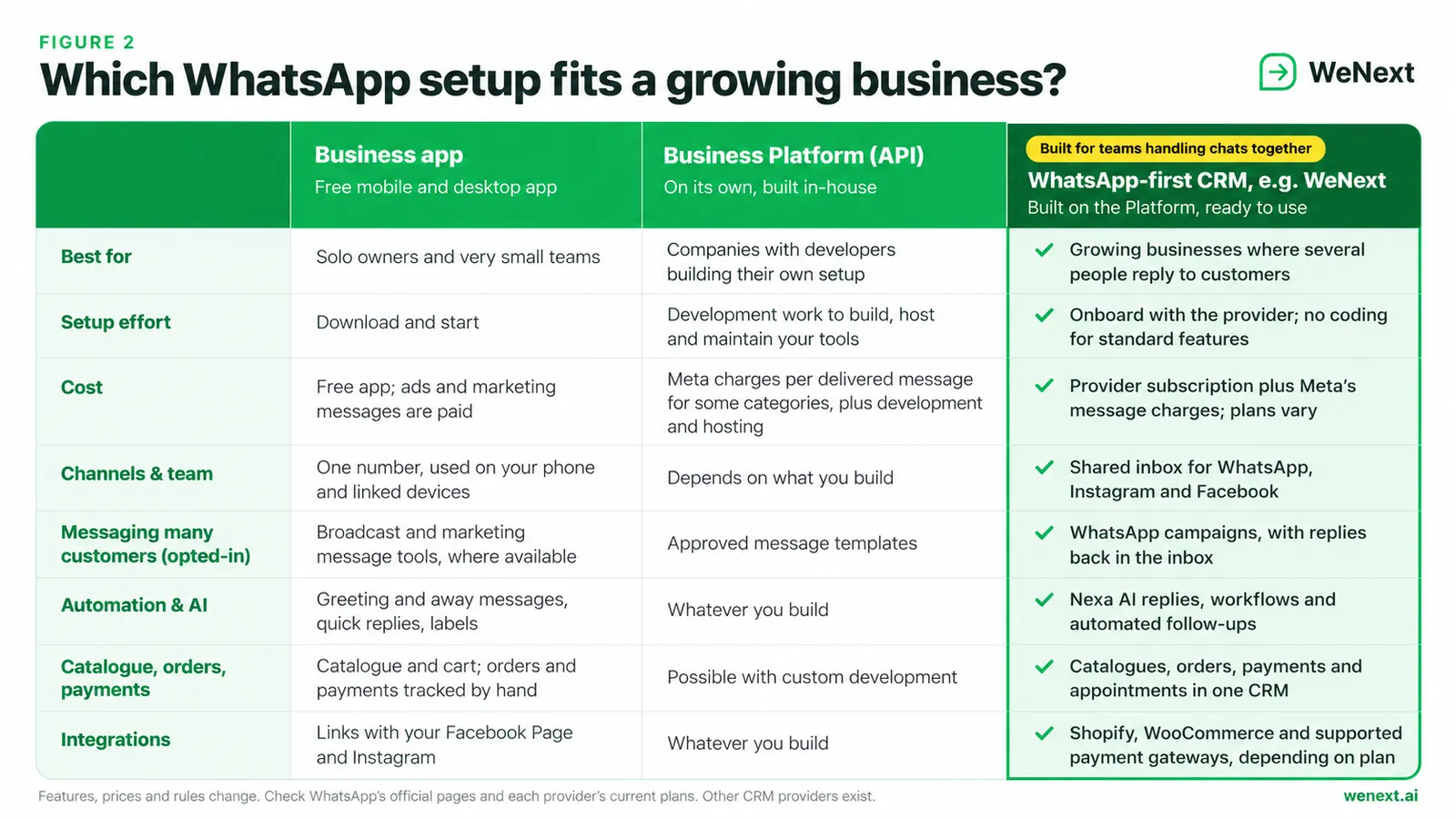
For a solo owner, it may always be enough. Watch for these signs:
- two people reply to the same customer, or nobody does;
- enquiries also arrive on Instagram and Facebook, and you’re switching apps all day;
- you can’t say how many of last month’s enquiries became paid orders.
The usual next step is the WhatsApp Business Platform, often called the API. You build on it, or use a partner’s software, which Meta says needs little or no code. Meta charges per delivered message by category and country, but not for service replies within the 24-hour customer service window. A CRM adds its own subscription. For WeNext, check current plans, message charges and limits on the WeNext pricing page. For Meta’s message charges, see WhatsApp Business Platform pricing. WeNext is one of several options, so compare a few.
Which WhatsApp rules matter most?
- Opt-in first. Message only people who agreed to hear from you, and honour opt-outs.
- The 24-hour window (Platform only). You can reply freely within 24 hours of the customer’s last message. After that, only approved message templates.
- Restricted products. The Business Messaging Policy restricts categories such as alcohol, tobacco and medical products, and points sellers to Meta’s Commerce Policy.
- No sensitive data. Don’t ask for full card numbers, bank account numbers or ID numbers in chat.
Frequently asked questions
Is it legal to sell products on WhatsApp in India? Generally yes, if you follow WhatsApp’s policies and the Indian laws that apply to you, such as consumer protection and tax rules. This isn’t legal advice; ask a professional about your case.
Is the WhatsApp Business app free? It’s free to download and use. Some features, such as ads and marketing messages, are paid.
Can I send bulk WhatsApp messages? Only to people who have opted in. The app’s broadcast tools vary by country; on the Platform, you’ll need approved templates.
Your WhatsApp sales checklist
Checklist
Business profile ready, including the India seller details
Catalogue added with prices, sizes and country of origin
Every open enquiry has one owner
Every open enquiry has a next follow-up scheduled, with a date
Payment verified in the gateway before dispatch
Order status recorded: confirmed, paid, dispatched, delivered
WhatsApp, Instagram, Facebook and Meta are trademarks of Meta Platforms, Inc.; Google Business Profile and Google Calendar are trademarks of Google LLC; Shopify, WooCommerce, Razorpay and Cashfree are trademarks of their respective owners, named only to describe compatibility and is not affiliated with or endorsed by Meta or any company named here. Features, plans, trial terms and policies may change; check wenext.ai and WhatsApp’s official documentation.