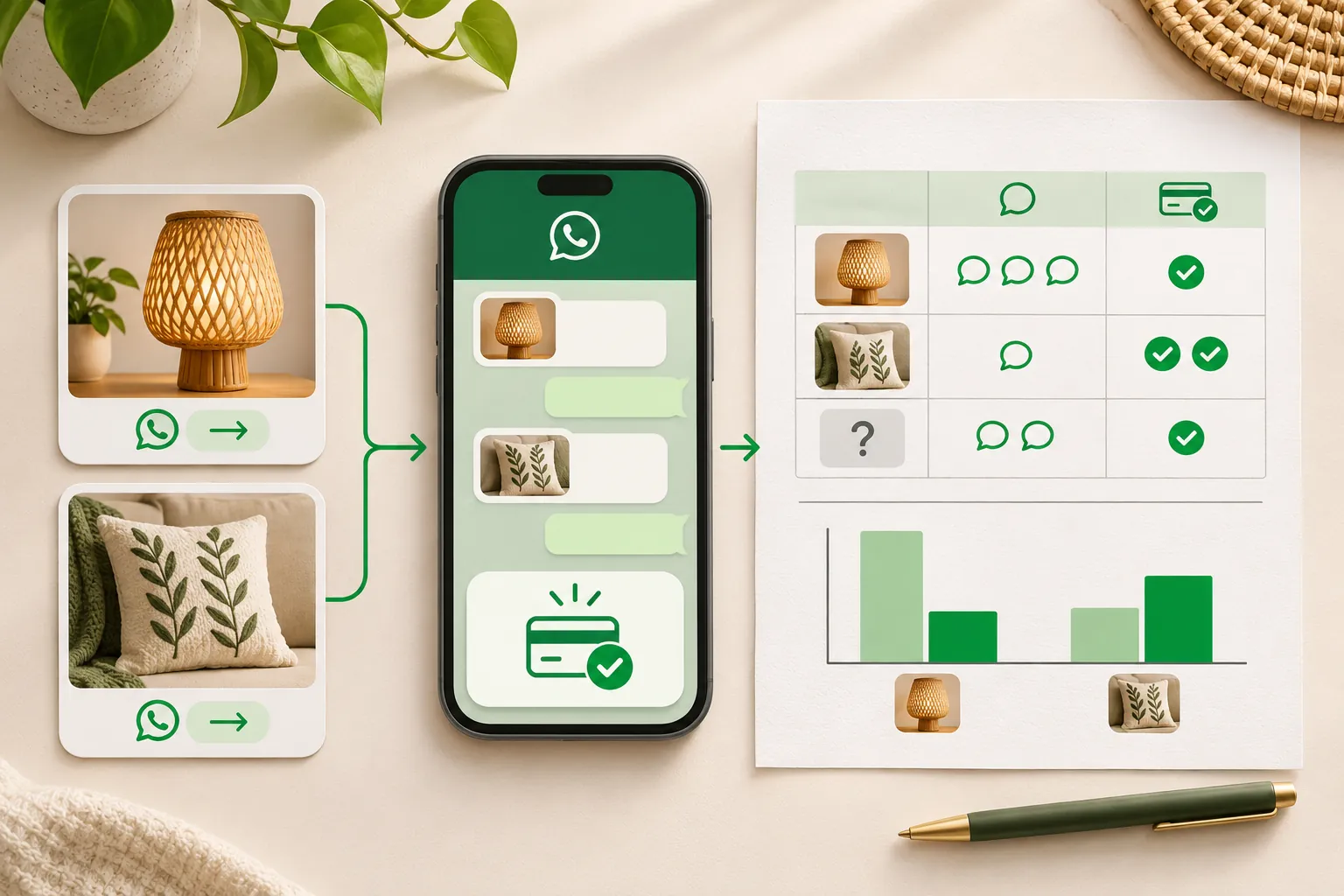
One ad starts 70 WhatsApp chats. Another starts 40. Which deserves more budget? In the example below, the quieter ad produces seven paid orders and the busier one three. You only see that if each enquiry is linked to an order and each payment is verified.
To track WhatsApp sales from Meta ads, record an ad source when each enquiry arrives, assign a unique order ID, and reconcile confirmed payments. Compare ads using one consistent credit rule, keeping unknown sources visible. A spreadsheet can support this manual workflow without paid software. We build WeNext.ai, a WhatsApp CRM and automation platform; its optional product workflow appears near the end. This article was edited with AI assistance.
Step 1: Record the source when the enquiry arrives
Give each ad a short code your team can say out loud, such as L1 or L2, and put it in the ad’s name in Ads Manager so your reports match your sheet.
Then put the code in the ad’s starting message. When you create a Click-to-WhatsApp ad, the Message Template section lets you set a greeting and suggested questions people can send. Give each ad its own wording:
Ad starting messages
L1: Hi, I'm interested in the brass lamp gift offer. Ref: L1.

L2: Hi, is the festive lamp set available? Ref: L2.
For sources outside ads, such as your Instagram bio or website, WhatsApp’s click-to-chat links can carry a pre-filled message with its own code, like “Ref: WEB”.
Record the code in your sheet when the enquiry arrives. WhatsApp labels or lists help with daily sorting, but the sheet is the lasting record.
Codes won’t always survive: customers edit the message or forward an offer. When there’s no code, ask once:
Asking for the source
Thanks for writing in! Which post or offer did you see?
Key pointIf the answer is unclear, record Unknown. An honest unknown beats a guess.
Step 2: Give every order its own ID
Give every order a unique ID, such as ORD-20261026-007 (date, then that day’s order number), and keep the ad code in a separate column. Use the order ID in the chat, the payment reference and the sheet. If you later correct the source, change the ad-code column, never the order ID.
An order confirmation you can copy:
Order confirmation
Thanks, {name}! Your order {order_id} is noted: {item} x {qty}, total {amount}.
Pay here: {payment_link}. Please keep this order ID handy.
We'll confirm here once the payment shows up on our side.
Step 3: Count an order as paid only when the money is confirmed
A payment link is not proof of payment. Neither is a screenshot. Mark a prepaid order paid only after you’ve confirmed it in your payment dashboard. For cash on delivery, mark it paid when the cash reaches you, not when the parcel ships.
One order ID with a confirmed full payment is one paid order, however many instalments it took. Log partial amounts as they arrive, but count the order only once it’s fully paid.
Use these columns: enquiry date, internal customer reference, ad source, order ID, order value, confirmed payments and dates, refunds, cancellation status, and source-correction notes. Use internal references instead of customer names or phone numbers in shared reports. Restrict access, set a retention period and keep payment credentials, bank identifiers and chat transcripts out of the sheet.
Decide the credit rule before you look at results
Write your rule down first. It’s a reporting convention, not proof the ad caused the sale. Mine:
- Credit: the first identifiable enquiry for that order gets it, even if the customer later clicked another ad.
- Lookback: the order must be placed within 7 days of that enquiry. Put later orders in “Outside lookback” and preserve any known source separately. This is an example reporting rule, not a Meta attribution setting.
- Repeat orders: a returning customer’s new order is credited to an ad only if it came from a new, identifiable enquiry within the lookback. Otherwise, record Repeat.
Keep two weekly views apart. The enquiry cohort follows that week’s enquiries to whatever they became, updated as late payments arrive. Cash received is the money that landed that week. Judge ads on the cohort; reconcile accounts on the cash.
The Monday report
Illustrative example, not a customer story: a small home décor shop runs two Click-to-WhatsApp ads for a week. The numbers are made up to show the method.
- Ad L1 (static photo, gift offer): 40 chats, 9 orders, 7 paid orders.
- Ad L2 (festive video): 70 chats, 6 orders, 3 paid orders.
Take actual spend from Ads Manager; here, assume each spent ₹7,000. For each ad code, work out:
- Cost per chat: spend ÷ chats
- Chat to paid order rate: paid orders ÷ chats
- Cost per paid order: spend ÷ paid orders, or “N/A: no paid orders”
- Collected revenue: confirmed amounts minus refunds
By chats, L2 looks stronger. By paid orders, L1 had the lower cost per paid order. Before moving budget, compare revenue, refunds and margins. Our rule of thumb: a full week before judging, then a recheck once late payments arrive. Seven versus three is an early signal, not a settled result.
The method can’t see every ad interaction: some people message days later with no code, and small numbers swing week to week. Keep Unknown as its own row and watch its size; if it grows, fix your capture step.
What Meta records for you
Ads Manager reports messaging results attributed to your ads. Check the definition beside the metric in your current account, along with its attribution and reporting settings. A conversation result is not a paid order, so keep payment reconciliation separate.
If your WhatsApp Business app offers automatic lead or order events, review the current feature description and its effects on your account before enabling it. Whether applied manually or automatically, an order label is not proof that payment was received.
On the WhatsApp Business Platform, a supported integration may capture ad-referral information with incoming messages. Confirm the fields and eligible ad placements in the current Meta developer documentation and your provider’s implementation. Store the available source against the specific enquiry with a timestamp, preserve Unknown when it is missing, and do not assume every ad placement supplies the same identifiers.
Meta’s Conversions API for Business Messaging supports sending eligible business events, such as purchases, through supported integrations. Confirm current eligibility, identifiers and technical requirements before implementation. Share only data you are permitted to share, apply the required privacy notices and choices, and validate the manual records before sending events.
On cost, check Meta’s current Platform pricing for applicable rates and any free-entry-point conditions. Do not assume that an ad-originated conversation makes every later message free. Include any provider fees separately when calculating costs.
How we run this in WeNext
Our team built WeNext so the ad, the chat and the payment sit in one record. Here’s the same workflow, with what each plan covers.
- Capture the lead from the ad. WeNext supports Meta advertising workflows that capture leads from your ads and connect them to the CRM, conversations and follow-up automations. You need a WhatsApp number connected through the WhatsApp Cloud API and your own Meta ad account.
- Send the payment link in the chat. Our Razorpay integration sends payment links inside WhatsApp and reconciles in real time; we also connect Cashfree, Stripe and PayU. You need your own account with the gateway. Payment links start on Sprint.
- Report on it. Funnel and campaign analytics start on Sprint; ROI tracking and custom reports are on Turbo. See pricing.
A connected gateway confirms payments; it doesn’t decide which ad gets the credit. Your rule does, and unidentified enquiries still belong in Unknown.
Start with the sheet
Create a sheet using the columns above, then add three clearly labeled test rows: one fully paid order, one part-paid order and one unknown source. Check the calculations before entering real enquiries. Keep late orders outside the chosen lookback in a separate “Outside lookback” category, rather than treating a known source as unknown.
Sheet columns
Enquiry date and internal customer reference
Ad source code — or Unknown
Order ID, and order value
Confirmed payments and their dates
Refunds and cancellation status
Source-correction notes
If your team wants ad leads, chats and payment status in one place, try that workflow in WeNext. Our homepage currently offers a 7-day free trial, no credit card required. Start your free trial at wenext.ai.
For the full journey from first enquiry to paid order, read our guide on how to sell on WhatsApp in India.